March 2026
Why Online Game Nights Still Work So Well for Friend Groups
A single virtual game night can bring together friends from five different cities without anyone leaving the couch. Online hangouts exploded during the early 2020s, but they never faded away. Inste...
A single virtual game night can bring together friends from five different cities without anyone leaving the couch. Online hangouts exploded during the early 2020s, but they never faded away. Instead, they evolved into a go-to way for friend groups, remote teams, and classrooms to socialize. With modern browser games and built-in video chat tools, setting up a fun event now takes less than ten minutes.
Platforms such as The Team Games Blog make it possible to launch multiplayer party games instantly with no downloads or accounts required. That removes the biggest friction point that used to derail online events. When you combine the right platform, a clear plan, and a few engaging game formats, a virtual game night can feel almost as lively as meeting in person.
Below is a practical guide to planning, hosting, and running an online game night that people will actually want to attend again.
Why Online Game Nights Still Work So Well for Friend Groups
Digital game nights remain popular because they recreate the social energy of in-person gatherings while removing logistical barriers. Research on online social interaction shows that interactive activities increase engagement and perceived connection compared to passive calls. A 2023 reflection on digital learning environments by Aras Bozkurt and colleagues found that interactive participation significantly improves group engagement and collaboration in remote settings.
Game-based interaction works especially well because it gives people something to focus on together. Instead of awkward small talk, the group shares challenges, jokes, and quick competition.
The strongest online social experiences combine real-time interaction with shared goals or challenges.
Virtual game nights also solve common scheduling problems. Friends can join from different locations, jump in for one round, and leave without disrupting the event.
Common reasons people host online game nights today:
- Remote friend groups who live in different cities
- Distributed work teams running informal team-building events
- Teachers running interactive classroom sessions
- Streamers engaging their audience during live sessions
Many hosts now use browser-based platforms rather than downloading separate apps for each game. For example, the games available on The Team Games Blog platform allow players to join a room instantly with a link, which keeps setup time minimal.
Choose the Right Platform Before You Invite Anyone
The platform determines how smooth your game night feels. Complicated installations or account requirements often cause guests to drop out before the event even starts.
An ideal platform supports quick access, stable multiplayer gameplay, and voice communication. Many modern game platforms integrate these features directly in the browser.
Key Features to Look for in a Virtual Game Night Platform
- Browser-based gameplay so guests do not install software
- Private rooms or invite links
- Built-in voice or video chat
- Short games that rotate players quickly
- Mobile and desktop compatibility
Short session games perform better for casual events. People stay engaged when rounds last five to ten minutes rather than an hour.
Popular Platforms for Hosting Online Game Nights
Platform Comparison for Virtual Game Nights
| Platform | Best For | Setup Difficulty | Notable Features |
|---|---|---|---|
| Team Games | Casual party games | Very easy | Browser play, drawing and trivia games |
| Jackbox Games | Party games with phones | Medium | Requires host purchase and screen share |
| Board Game Arena | Strategy board games | Medium | Large board game library |
| Skribbl.io | Drawing games | Easy | Free public rooms |
Platforms designed specifically for party games usually produce the best results. For example, The Team Games Blog showcases quick multiplayer games that work well during casual hangouts or team-building sessions.
You can also combine a game platform with video calls through Zoom, Discord, or Google Meet.
Plan the Structure of the Game Night Before It Starts
Unstructured events often stall after the first game. A light plan keeps momentum going without making the evening feel rigid.

Hosts usually plan a sequence of games, each lasting about ten minutes. Rotating formats keeps energy high and allows different personalities to shine.
Simple Timeline for a 90-Minute Online Game Night
| Time | Activity |
|---|---|
| 0-10 min | Welcome and tech check |
| 10-30 min | Icebreaker game |
| 30-60 min | Two competitive games |
| 60-80 min | Team-based game |
| 80-90 min | Final round or bonus challenge |
Short rounds matter. Research in digital engagement suggests that frequent feedback and fast interaction cycles improve attention and enjoyment during online group activities.
Quick rounds reduce drop-off rates and keep players engaged longer.
A simple schedule also helps late arrivals jump in without confusion.
Five Online Games That Consistently Work for Virtual Game Nights
The best virtual games share three traits: easy rules, short rounds, and room for humor. Complex strategy games often slow the event.
Below are formats that work reliably with groups of friends, classrooms, or remote teams.
1. Drawing and Guessing Games
Players draw prompts while others guess the answer. These games generate instant laughs because artistic skill rarely matters.
Common variations include:
- Timed drawing rounds
- Theme challenges such as "badly drawn movies"
- Team guessing competitions
Many browser platforms, including the games featured on The Team Games Blog, include drawing games designed specifically for quick group play.
2. Live Trivia Challenges
Trivia works well for large groups because everyone participates simultaneously. Hosts can mix categories such as pop culture, gaming, science, and internet memes.
Tips for trivia success:
- Use 5 to 10 questions per round
- Mix easy and difficult questions
- Include visual or audio clues
Trivia also works well for remote teams because it encourages collaboration.
3. Online Scavenger Hunts
Players race to find items around their home or search online clues. This format gets people moving instead of staring at the screen.
Example prompts:
- Find something older than you
- Bring an item that represents your hobby
- Locate a red object within 30 seconds
Scavenger hunts work especially well during video calls.
4. Word and Caption Games
Players write funny captions, guesses, or responses to prompts. Other players vote on the best answer.
These games encourage creativity and humor rather than competition.
5. Mini Tournament Rounds
A short tournament adds excitement near the end of the night. Players compete in quick rounds and the top score wins.
Possible formats include:
- Speed trivia
- Drawing challenge finals
- Word guessing battle
Awarding a silly prize, such as choosing the next movie night, increases participation.
Set Up Audio, Video, and Screen Sharing for Smooth Gameplay
Technical issues are the fastest way to drain energy from an online event. Good audio matters more than perfect video quality.
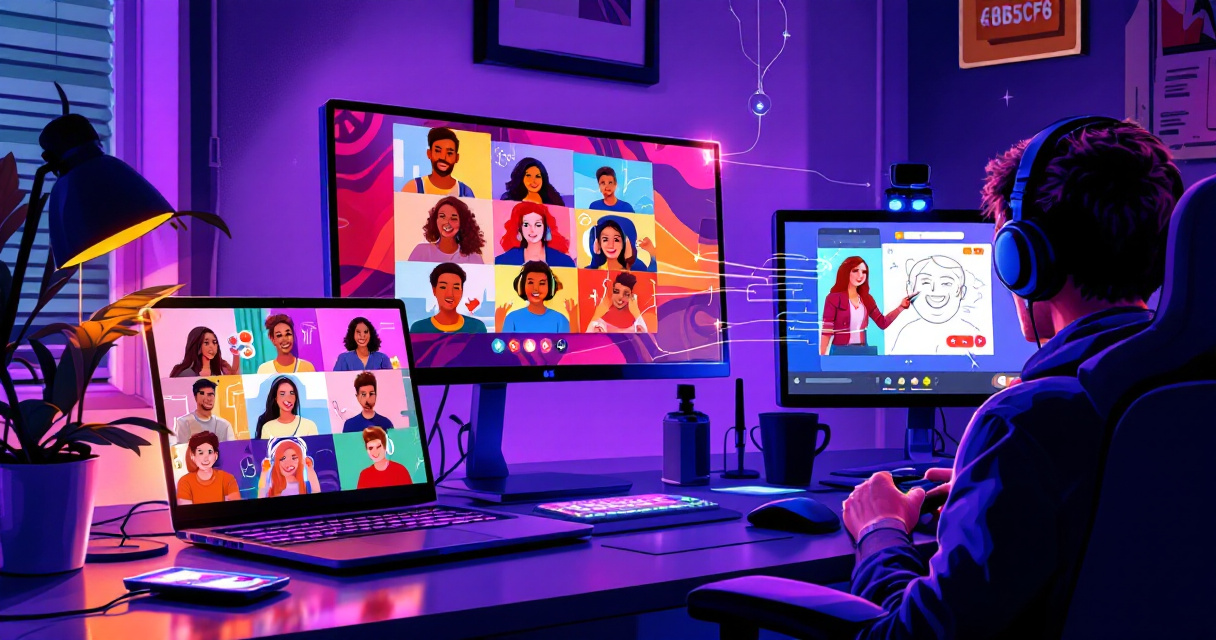
Most hosts rely on a video platform combined with a game site. Some modern party game platforms also include built-in voice chat, which simplifies setup.
Basic Tech Setup for Online Game Nights
| Component | Recommendation |
|---|---|
| Video chat | Zoom, Discord, or Google Meet |
| Microphone | Headset or laptop mic |
| Display | Screen sharing or browser play |
| Internet | At least 10 Mbps connection |
According to Wikipedia, an online video platform (OVP) stores and delivers video content over the internet, often enabling real-time streaming or playback. These platforms power most video call systems used for virtual events.
Clear audio is more important than high-resolution video for group interaction.
Ask players to mute themselves when not speaking if the group exceeds eight people.
Tips That Make People Actually Show Up and Stay Engaged
Invitations alone do not guarantee attendance. A few small details dramatically improve turnout and participation.
Hosts who treat the event like a real gathering see better results.
Send Invites With Clear Details
Your invitation should include:
- Start time and expected duration
- The platform or link for the games
- Optional theme or dress code
- Whether players should bring snacks or drinks
Clear instructions prevent technical confusion.
Add a Theme or Friendly Competition
Themes create instant energy. Examples include:
- Retro gaming night
- Movie trivia night
- Meme challenge night
- Holiday-themed game party
You can also keep a running scoreboard across multiple rounds.
Keep the Group Size Manageable
Four to eight players is the sweet spot for most online party games. Larger groups should split into teams.
Smaller groups create more conversation and faster gameplay.
How AI and New Multiplayer Tech Are Changing Online Game Nights
Virtual game nights continue evolving as new technology enters the social gaming space. AI-driven interactions and generative systems are starting to shape how multiplayer games are designed.
A 2023 research project titled Generative Agents: Interactive Simulacra of Human Behavior by Joon Sung Park and collaborators demonstrated how AI characters can simulate realistic social behavior inside digital environments. Similar concepts are beginning to appear in party games and social apps.
Trends Shaping Online Social Games
- AI-generated trivia and prompts that adapt to players
- Smart matchmaking that balances teams automatically
- Voice recognition for faster gameplay
- Browser-based multiplayer games that require zero installation
These changes reduce friction and make casual online gatherings easier to organize. Browser-first platforms like The Team Games Blog already reflect this trend by removing downloads and account requirements.
Conclusion
Hosting an online game night is far easier than most people expect. A simple plan, the right mix of games, and a platform that removes technical barriers can turn a regular video call into a memorable social event.
Start by choosing a browser-friendly game platform, schedule a 60 to 90 minute session, and pick three or four quick games that encourage conversation. Drawing games, trivia, and word challenges usually produce the most laughs.
If you want a fast setup, explore the multiplayer games featured on The Team Games Blog. The platform allows friends to jump into party games instantly without downloads or accounts, making it ideal for casual online hangouts, classrooms, and remote teams.
Pick a date, send the invite link, and host your first online game night this week.